Master Your Brand Identity with a PowerPoint Template
In the fast-paced world of business, consistency is the anchor of trust. Whether you are a startup founder sketching out your first logo or a seasoned marketing manager refreshing a corporate image, the gap between a great idea and a professional execution often lies in documentation. This is where a Brand Guidelines PowerPoint Template becomes an indispensable tool. It is not merely a slide deck; it is the rulebook that ensures your brand speaks with one voice, regardless of who is creating the content.
A "Brand Guidelines" document—often called a style guide, brand book, or brand standards—is essentially the DNA of your visual identity. It explains exactly how your brand works. Without it, you risk diluting your message with inconsistent colors, warped logos, and mismatched typography. This specific PowerPoint template is designed to solve that problem with pixel-perfect precision, offering a structured yet fully editable environment to define your brand’s personality.
The Architecture of a Professional Brand Book
The true value of this template lies in its comprehensive structure. It moves beyond generic placeholders to address the specific technicalities that designers and stakeholders argue about most. The content is divided into logical sections that cover every touchpoint of your brand.
Visual Identity and Logo Usage
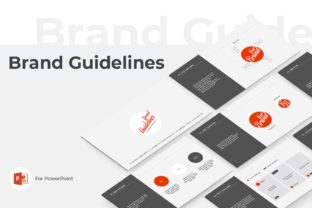
The foundation of any brand identity is the logo, but knowing how to use it is just as important as the design itself. This template dedicates significant space to logo guidelines. It includes slides for the primary logo, variations (such as monochrome or stacked versions), and—crucially—the "safe area" or clear space required around the mark. It defines minimum sizing to ensure legibility and, perhaps most importantly, provides examples of incorrect usage. Showing stakeholders what not to do (stretching, rotating, or changing colors) is often the best way to protect the integrity of your logo design.
Color, Typography, and Texture
Moving deeper into the visual language, the template provides a dedicated framework for your color palette. This typically includes primary and secondary brand colors, often accompanied by HEX, RGB, and CMYK codes to bridge the gap between digital and print. Typography is treated with equal rigor. You can define your primary typefaces—whether you are using a premium serif font for editorial elegance or a modern sans serif font for digital clarity—and establish the hierarchy for headings, subheadings, and body copy.
Beyond text and color, the deck explores design elements. It allows you to showcase brand patterns, textures, and photography styles. This is vital for maintaining a cohesive look across social media graphics, packaging design, and web design. By defining these elements, you create a "creative font" of visual assets that anyone on your team can draw from.
From Digital Slides to Real-World Stationery
A brand does not live only on a screen. The transition from digital guidelines to physical application is where many brands stumble. This PowerPoint template bridges that gap effectively by including mockups for stationery and merchandise. You can visualize how your brand identity translates onto a letterhead, an envelope, and a business card.
For those in retail or hospitality, the inclusion of mockups for shopping bags and coffee cups offers a tangible feel for the brand in the hands of customers. This practical application helps stakeholders visualize the customer experience, ensuring that the brand feels consistent whether it is viewed on a laptop or held in a coffee shop. The web section further extends this utility, offering examples for social media banners and website layouts, ensuring your digital presence is as polished as your print collateral.
Practical Features for a Smooth Workflow
One of the standout characteristics of this Brand Guidelines PowerPoint Template is its focus on usability. It avoids the trap of over-animation, which can distract from the content and cause technical glitches during presentations. Instead, it uses subtle transitions that maintain a professional flow.
The template is built on a standard 16:9 (1920x1080) screen size, making it compatible with modern displays and projectors. It relies on free fonts, which eliminates the headache of licensing issues for your team or clients—a link to the required font is conveniently included in the User Guide PDF. This attention to detail ensures that you can install the necessary typography before opening the file, preventing layout breaks or font substitution errors.
Furthermore, the "pixel-perfect illustrations" and full editability mean you are not locked into a rigid design. You can adapt the slides to fit the unique personality of your brand. Whether you are a freelancer handing off a brand book to a client or an entrepreneur building an internal style guide, this asset provides the professional polish required to make the document authoritative.
Who Needs This Template?
The audience for a Brand Guidelines PowerPoint Template is surprisingly broad. It is an essential design asset for:
- Entrepreneurs and Startups: To establish a professional foundation from day one and ensure consistency as the team grows.
- Designers and Agencies: To deliver a polished final product to clients, adding value to the branding project.
- Marketers and Content Creators: To ensure that every social media post, email newsletter, and ad campaign adheres to the brand’s visual standards.
- Publishers and Bloggers: To maintain a consistent aesthetic across editorial design and web presence.
In an era where visual noise is constant, a clear set of brand standards acts as a filter. It helps your audience recognize you instantly. By using a structured template to document these standards, you move from abstract ideas to concrete rules, ensuring that your brand identity remains strong, recognizable, and professional across every medium.